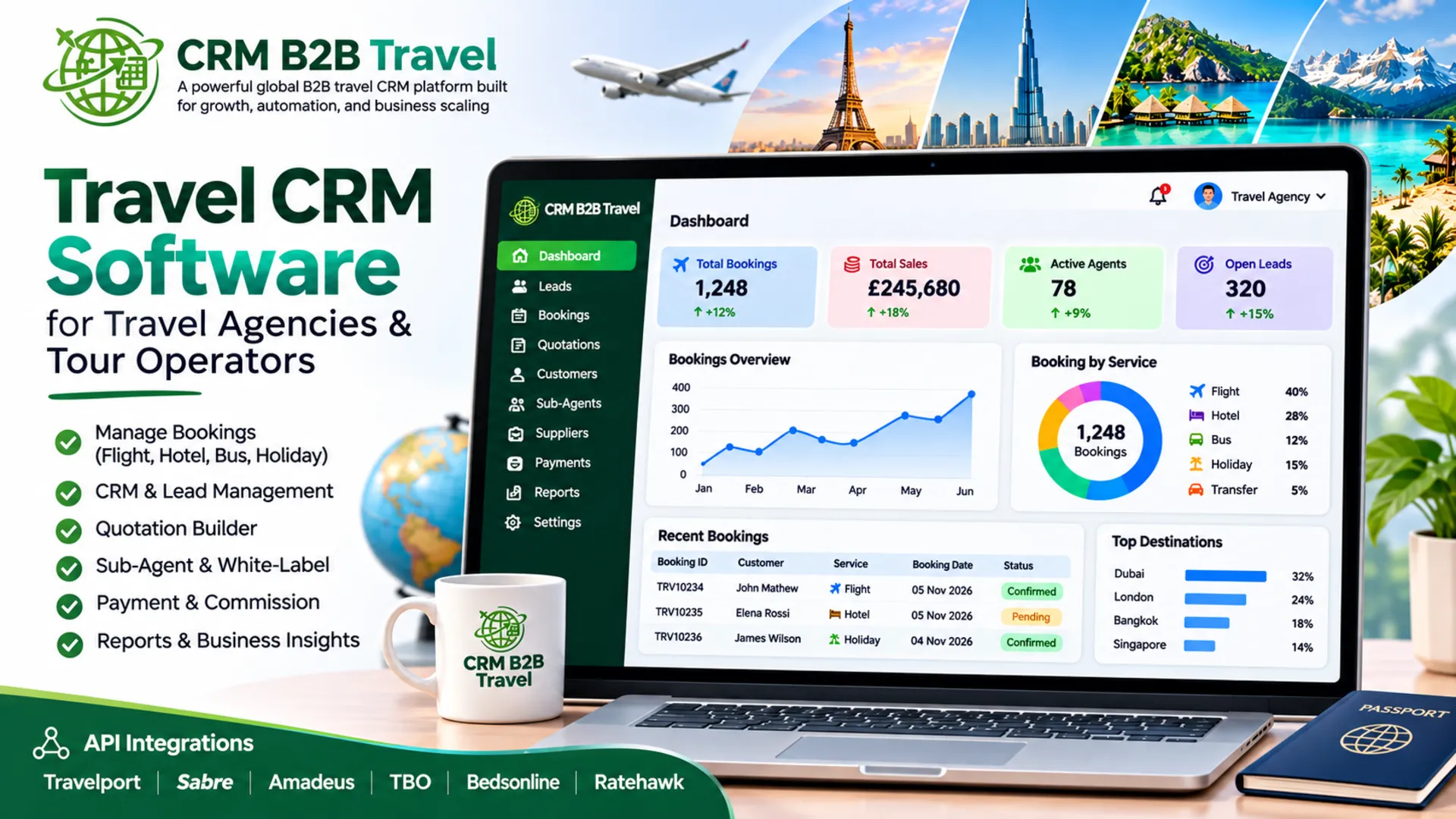
If your agency still runs on spreadsheets, shared inboxes and a patchwork of tools, you already know the cost: missed follow-ups, duplicate bookings, quotes that take hours and customers who go quiet. Travel CRM software exists to fix this by putting your inquiries, customers, itineraries, suppliers and payments in one place.
This guide explains what a travel CRM does, which features matter for UK agencies and tour operators, and how to choose the right system. It ends with a checklist and FAQs.
What is Travel CRM Software?
Travel CRM software is a customer relationship management system built for the way travel businesses work. A generic CRM tracks contacts and deals. A Travel CRM also handles itineraries, multi-supplier bookings, quotes, deposits and balance dates, passenger details and commissions.
For a Travel agency CRM, that means one record for each traveler, from first inquiry through to post-trip feedback. For a CRM for tour operators, it also covers inventory, departures, group bookings and supplier contracts.
What Does a Travel CRM Actually Do?
1. Captures and organizes leads
Inquiries arrive from your website, email, phone, WhatsApp and social media. A travel CRM captures them in one pipeline, so nothing sits unanswered in someone’s inbox.
2. Speeds up quoting and itinerary building
Instead of rebuilding every quote in Word or Excel, you create itineraries from saved components such as hotels, transfers and activities. Faster quotes usually mean more conversions, because travelers often book with whoever replies first.
3. Manages bookings and suppliers
Bookings, supplier confirmations, vouchers and amendments sit against a single customer record. This reduces the errors that come with copying details between systems.
4. Tracks payments and deadlines
Deposits, balance due dates and supplier payments are tracked and flagged automatically. For UK agencies, this also supports good financial and compliance practice.
5. Automates follow-ups and communication
Automated reminders, confirmation emails and pre departure messages keep customers informed without adding to your team’s workload.
6. Reports on what is working
Reporting shows your conversion rate, revenue by destination, best-performing lead sources and agent performance. You can then decide where to spend your marketing budget on evidence rather than instinct.
Who Needs a B2B Travel CRM?
A B2B travel CRM suits businesses that sell through or alongside other trade partners, including:
- Tour operators and DMCs selling to agents
- Travel agencies working with consultants or sub-agents
- Wholesalers and consolidators
- Agencies managing white-label or agent-facing portals
B2B businesses have extra needs: agent accounts, net and gross pricing, markups, commission tracking and permission levels. A system built for B2C-only sales often struggles here.
Travel CRM vs Generic CRM
Many agencies start with a general-purpose CRM and then hit its limits. A generic tool can track contacts, but it was not designed for itineraries, supplier management or trip-based workflows, so you end up with costly customization or workarounds. For a detailed breakdown, read our guide on Travel CRM vs Generic CRM.
Manual Booking vs Automated CRM
If you are weighing up whether to switch at all, it helps to compare the two ways of working. Manual processes feel flexible but slow down as you grow: more inquiries mean more errors, more admin and less time with customers. See our comparison of Manual Booking vs Automated CRM to see where the hours and revenue are being lost.
Key Features to Look for in Travel CRM Software
When comparing platforms, prioritize these:
- Lead and inquiry management: a visual pipeline with source tracking
- Itinerary and quote builder: reusable components, branded PDFs and fast edits
- Booking management: supplier references, vouchers and amendment history
- Payment tracking: deposits, balances, supplier payable and reminders
- Automation: emails, tasks and follow-up sequences
- Agent and B2B tools: agent portals, markups, commissions and access control
- Integration: accounting software, email, payment gateways and your website
- Reporting and dashboards: conversion, revenue and performance data
- Security and compliance: UK GDPR-aligned data handling, access controls and backups
- Support and on-boarding: real people who understand the travel industry
You can see how these fit together on our Features page and the Travel CRM Platform page.
How to Choose the Right Travel CRM for Your Agency
Step 1: Map your current process
Write down how an inquiry becomes a booking in your business today. Note where time is lost, where mistakes happen and which tasks are repeated. This becomes your requirements list.
Step 2: Decide what you must have
Separate essentials from nice-to-haves. A small agency may only need leads, quotes and payments. A growing tour operator may need supplier management, agent portals and reporting.
Step 3: Check it is built for travel
Ask whether itineraries, supplier bookings and trip-based workflows are built in or bolted on. This is the biggest difference between a true travel CRM and a generic one.
Step 4: Think about your team and growth
Consider how many users you have now and how many you expect in two years. Check that permissions, workflows and pricing scale with you.
Step 5: Review integration and data migration
Confirm the system connects with your accounting, email and payment tools, and ask how existing customer and booking data will be imported.
Step 6: Compare pricing transparently
Look beyond the headline monthly fee. Ask about setup costs, per-user charges, limits on bookings or contacts, and paid add ons. You can review our plans on the Pricing page.
Step 7: Run a demo with real scenarios
Do not just watch a standard demo. Ask the vendor to build one of your actual itineraries and show how a booking, payment and follow-up would run end to end.
Step 8: Plan on-boarding
The best software fails without adoption. Ask about training, support hours and how long a typical roll-out takes.
Travel CRM Selection Checklist
Use this when speaking to vendors:
- ☐ Built specifically for travel, not adapted from a generic CRM
- ☐ Handles inquiries from all your channels in one pipeline
- ☐ Quick, reusable itinerary and quote builder
- ☐ Tracks deposits, balances and supplier payments
- ☐ Supports B2B needs such as agents, markups and commissions
- ☐ Automates emails, reminders and follow-ups
- ☐ Integrates with your accounting and payment tools
- ☐ Clear reporting on conversion and revenue
- ☐ UK GDPR-aware data protection and user permissions
- ☐ Straightforward data migration from current systems
- ☐ Transparent pricing with no hidden costs
- ☐ Responsive on-boarding and ongoing support
- ☐ Scales as your team and bookings grow
Common Mistakes to Avoid
- Choosing on price alone: A cheap tool that does not fit your workflow costs more in lost time.
- Overbuying features: Pay for what you will actually use.
- Skipping team input: The people using the system daily should help choose it.
- Neglecting data quality: Clean your customer data before migrating.
- Underestimating change management: Set a clear go-live date and train everyone.
Frequently Asked Question
Conclusion
The right travel CRM gives your team more time to sell and look after customers, and less time on admin. Start by mapping your process, shortlist systems built for travel, test them with real scenarios and check that they will grow with you.
Ready to see how a travel CRM could work for your business? Explore our Travel CRM Platform or review Pricing to find the right fit.
